
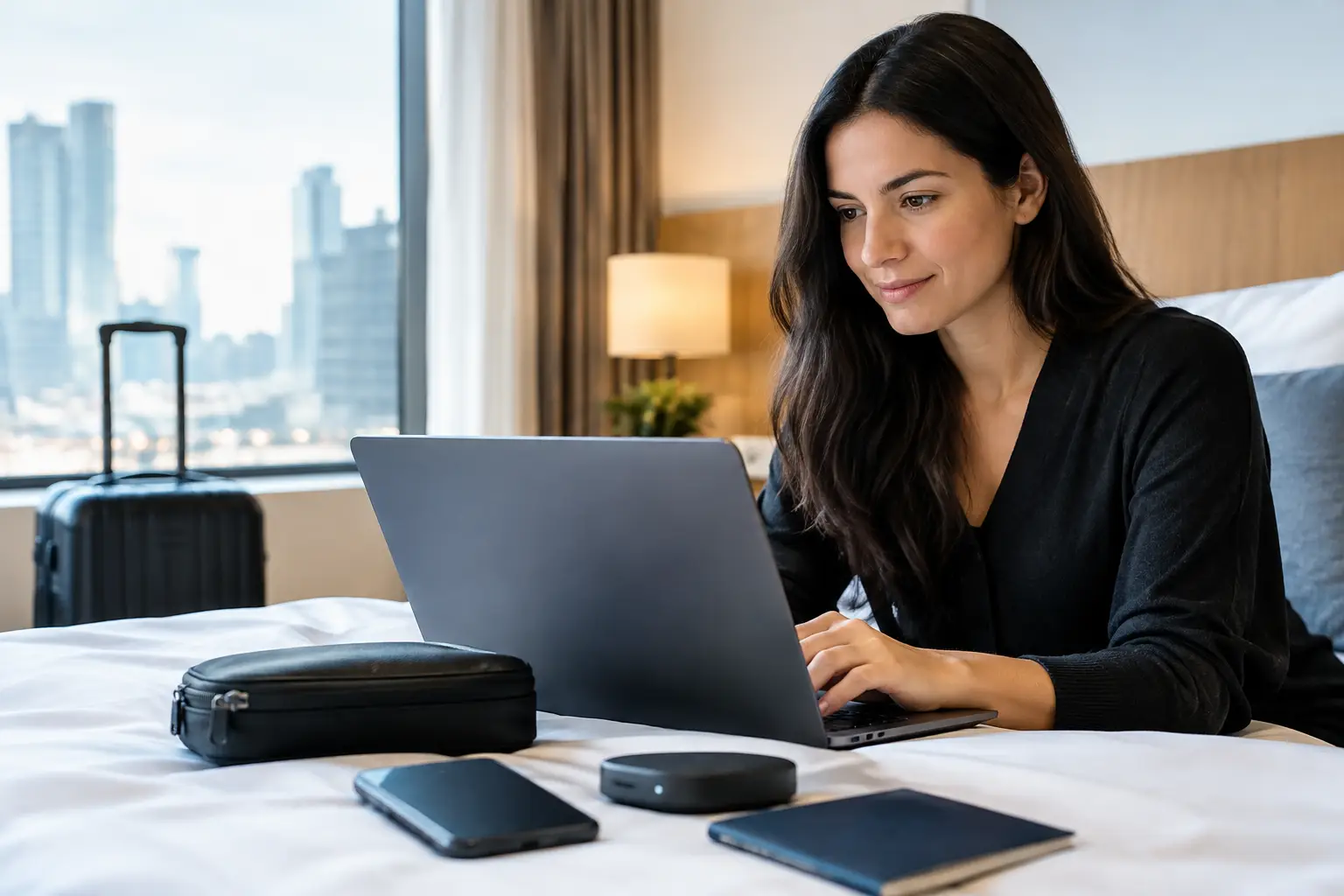
A hotel Wi-Fi login, a lock-screen notification, or a forgotten browser tab can reveal more than most travelers expect. For business visitors, expatriates, and guests moving between Kuala Lumpur, Bangsar, Mont Kiara, Petaling Jaya, and Ampang, traveler privacy tools are not about paranoia. They are a practical way to keep your location, conversations, accounts, and personal plans under your control.
Privacy works best when it is quiet. The goal is not to turn every trip into a security operation. It is to set up a few reliable protections before check-in, then enjoy your stay without leaving your digital life exposed to hotel networks, shared devices, curious eyes, or avoidable data leaks.
Start With the Phone You Carry Everywhere
Your phone is your room key, map, camera, wallet, messaging center, and travel planner. It deserves more attention than any other item in your suitcase. Before leaving home, use a strong device passcode rather than a simple four-digit PIN. Face or fingerprint access is convenient, but a proper passcode matters if biometric access becomes unreliable or unwanted.
Set your lock screen so message content does not appear in notifications. A preview that shows a name, address, confirmation code, or private message can be read from across a restaurant table or while your phone is charging in a hotel lobby. You can still receive the alert without displaying the details.
Keep the operating system and critical apps updated before travel. Updates are not glamorous, but they close known security gaps. Do this on a trusted connection before you fly instead of relying on hotel Wi-Fi when you arrive late at night.
A privacy screen protector is also worth considering for frequent travelers. It will not stop someone from taking your phone, but it makes casual shoulder surfing much harder in elevators, airport lounges, rideshares, and coffee shops. The trade-off is a slightly dimmer display, so choose a quality option if you use your phone heavily after dark.
Traveler Privacy Tools That Matter on Public Wi-Fi
Hotel and airport Wi-Fi are useful, but convenience should not be confused with privacy. Even legitimate networks can expose you to tracking, fake access points, or unsafe connections if you are not paying attention. Confirm the exact network name with the front desk rather than joining a similarly named connection that appears first on your device.
A reputable virtual private network, or VPN, is one of the more useful traveler privacy tools for public connections. It encrypts the traffic between your device and the VPN service, making it harder for others on the same network to monitor what you do. Use it when checking email, signing into financial accounts, accessing work systems, or handling private messages.
A VPN is not magic. It does not make a risky website trustworthy, and it does not protect information you willingly enter into a fake page. Select a paid, well-established provider rather than a free service with unclear data practices. Free products often need to make money somehow, and your browsing data can become part of that business model.
For sensitive activity, your mobile data connection may be the better choice. A travel eSIM lets you avoid public Wi-Fi altogether while keeping your usual number separate from your travel data plan. It can be especially useful for short stays in Kuala Lumpur, where you may be moving between hotels, residences, and meetings throughout the day.
When you are not actively using Wi-Fi or Bluetooth, turn them off. This reduces passive tracking and prevents your phone from automatically reconnecting to networks you no longer trust. Disable automatic joining for public networks as well.
Keep Private Messages Private
Messaging is fast, personal, and convenient, which is exactly why it needs basic protection. Use an app with end-to-end encryption for sensitive conversations, and enable its built-in screen lock if available. This adds protection even if someone gets brief access to an unlocked phone.
Disappearing messages can reduce how long a conversation stays stored on a device, but they are not a guarantee. Anyone can take a screenshot, photograph a screen, or copy details elsewhere. Use temporary messaging as a cleanup tool, not as a reason to share information you would regret seeing later.
Be selective about what you send. Avoid sharing passport images, full home addresses, flight itineraries, boarding passes, bank screenshots, or codes sent for account verification. A hotel name may be necessary for a meeting, but your room number almost never is. Meet in a public lobby or agreed venue rather than placing sensitive location details into a message thread.
For greater separation, consider using a travel-only email address for reservations, ride apps, event registrations, and nonessential inquiries. It keeps promotional messages and travel paperwork away from your main inbox. More importantly, it limits the damage if one travel account is compromised.
Protect Accounts Before You Land
The best time to secure an account is before you need it urgently. Use a password manager to create long, unique passwords for email, banking, booking platforms, and social accounts. Reusing one familiar password across multiple services is easy until one breach gives someone access to everything else.
Turn on two-factor authentication, preferably through an authenticator app rather than text messages alone. Text-based codes are better than nothing, but they can become a problem if your home SIM is unavailable, roaming fails, or your number is targeted. Save backup codes in a secure location that does not depend only on your phone.
Review account recovery options before departure. Remove old phone numbers, outdated email addresses, and devices you no longer own. If your primary email is taken over while abroad, nearly every other account becomes harder to recover.
For business travelers, separate work and personal activity as much as possible. Do not sign into private accounts on a company laptop, and do not use a work email for personal reservations. This is partly about security and partly about boundaries. The cleaner the separation, the less information follows you between parts of your life.
Be Careful With Hotel Technology
A premium hotel can still have weak digital habits. Treat televisions, printers, shared tablets, and business-center computers as public equipment. Do not enter passwords, payment details, or private messages into a shared device unless there is no alternative.
If you connect a phone to a smart TV, log out before checkout and remove the connection from both devices. Streaming apps, photo-sharing features, and casting tools can retain account information longer than expected. The same applies to in-room tablets used for dining, concierge services, or local recommendations.
At check-in, avoid saying your room number aloud if it appears on paperwork or a key sleeve. Ask the front desk not to announce it. Keep the key card separate from anything showing the hotel name and room number together. This is simple physical privacy, but it prevents a minor mistake from becoming an invitation.
Do not leave passports, spare cards, or sensitive documents loose in the room. Use the in-room safe only if it is functioning properly, or carry essential documents in a secure travel pouch. For longer stays, a small portable lockbox may make sense, though it depends on how much you are carrying and how often you change hotels.
Location Sharing Needs a Short Leash
Many apps request location access by default, even when they have no real need for it. Review permissions before and during your trip. Maps and ride apps need location to function well. A shopping app, photo editor, or casual game usually does not.
Turn off precise location access where approximate location is enough. Also check your photo settings. Images can contain metadata showing where and when they were taken. If you share photos publicly or privately, remove location data first when discretion matters.
Social posting is another common weak point. Posting in real time tells people where you are, where you are staying, and sometimes how long you will be there. Share the skyline photo after you leave, not while you are still on the 28th floor.
Build a Simple Privacy Routine
The strongest approach is the one you will actually follow. Before you leave your room, lock your phone, carry only the cards you need, and keep notifications private. Before joining a network, confirm it is real. Before sending information, ask whether the recipient truly needs it.
That small pause protects more than expensive software ever will. Good traveler privacy is not about disappearing. It is about choosing what stays personal, wherever your trip takes you.







 Escort Services – 24/7 Booking in KL & PJ